My First Week With an AI Teammate: A Hands-On FellowHire Review (Case Study)
Disclosure: I’m a FellowHire affiliate, so I earn a commission if you sign up through my link.
Watch the full walkthrough (premieres 28 November):
For one week I treated an AI fellow like a new colleague. Her name is Meera, she works for FellowHire, and I gave her a real job from my own inbox. This post is the case study: what I asked, what she did, what she got wrong, and what surprised me. The idea behind FellowHire is simple: get more done with the team you already have.
1. The job
My brief to Meera was a single sentence: read this week’s customer emails, find the three most common questions, and draft a friendly reply to each, without sending anything.
2. Handing it over
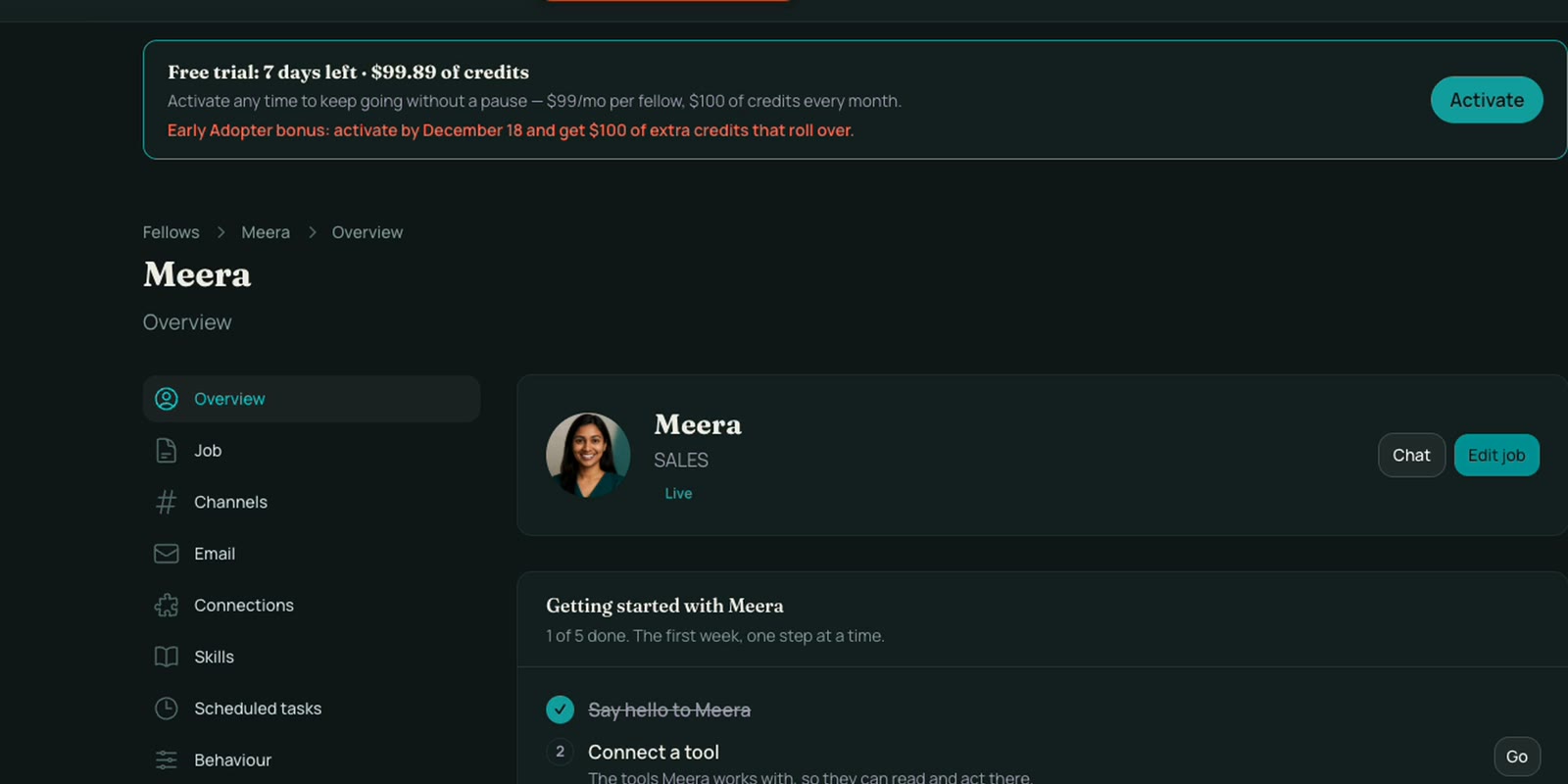
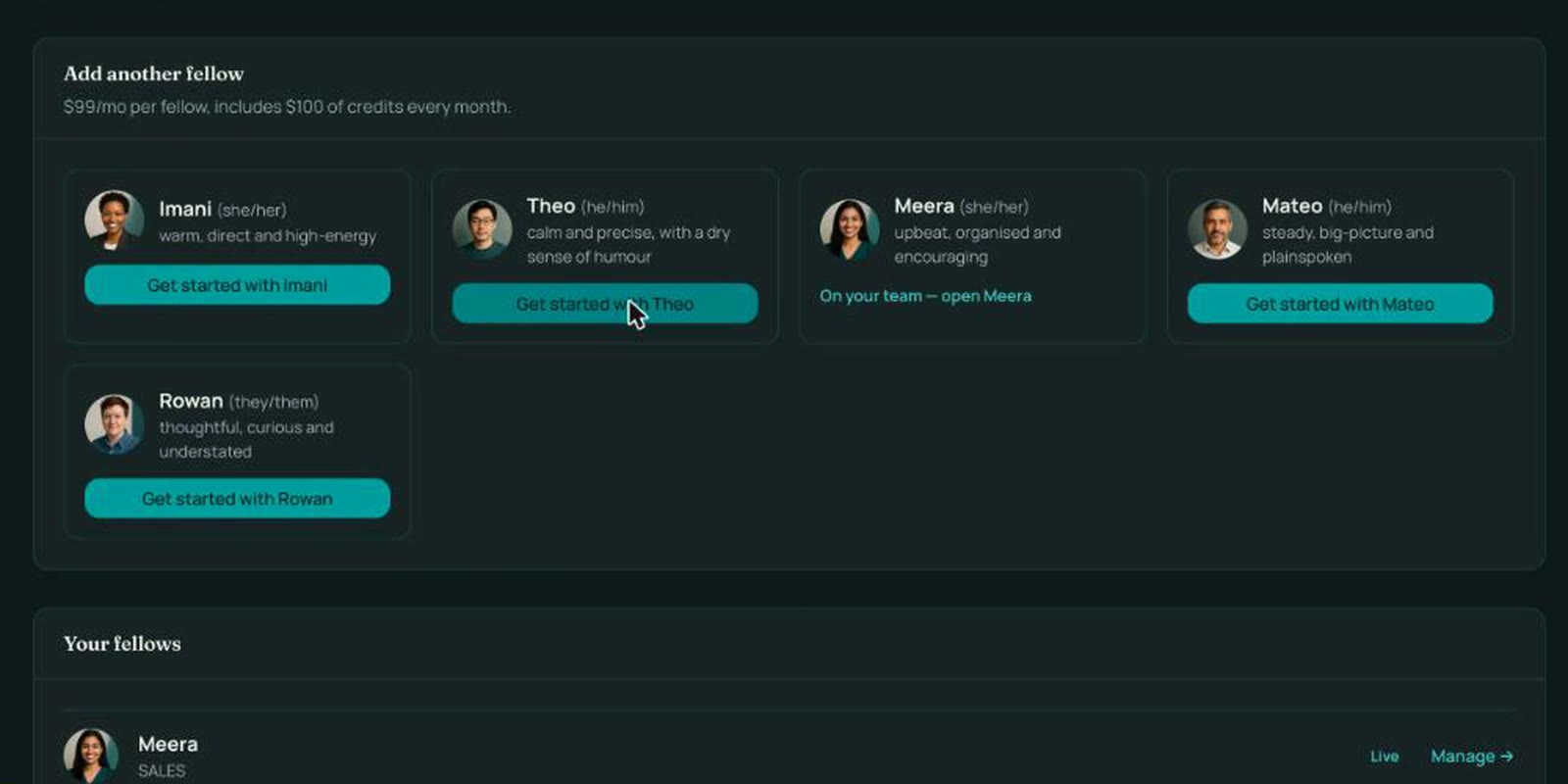
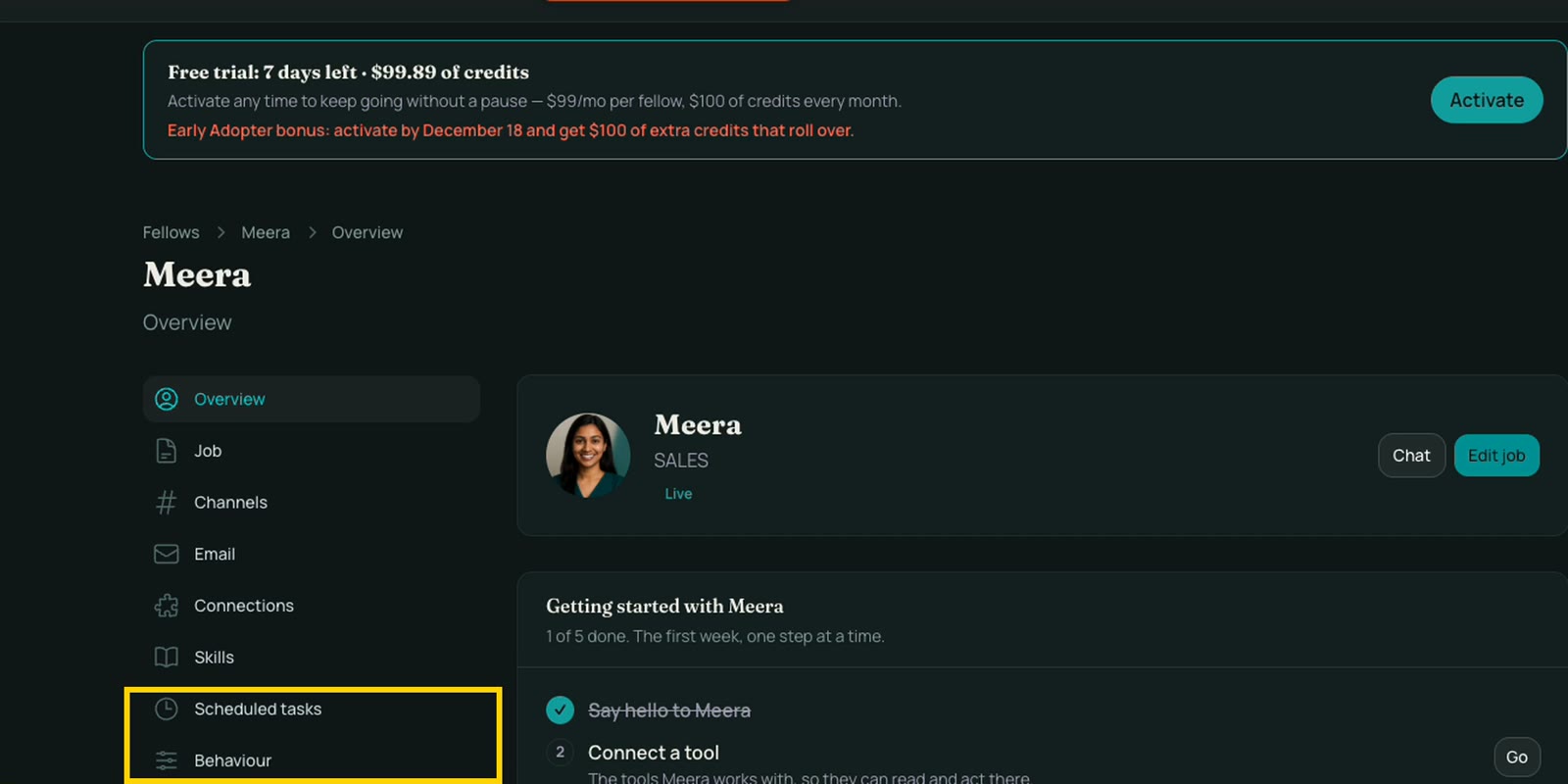
FellowHire offers five fellows: Imani, Theo, Meera, Mateo and Rowan. Each has a personality line on the page. Meera’s reads “upbeat, organised and encouraging”, and that is the one I picked. After you pick a fellow you land on her Overview page, which works as a checklist for the first week: say hello, connect a tool, bring her into Slack or Teams, and so on. The left menu has Job, Channels, Email, Connections, Skills, Scheduled tasks, Behaviour and Chat.
I did not fill in a long form. I wrote to Meera in the Chat tab the way I would write to a colleague on her first morning. I said what the task was, what I wanted back, and, importantly, that nothing should be sent. That last line matters. I wanted to see how she handled a boundary, not just a task.
3. The fellow at work
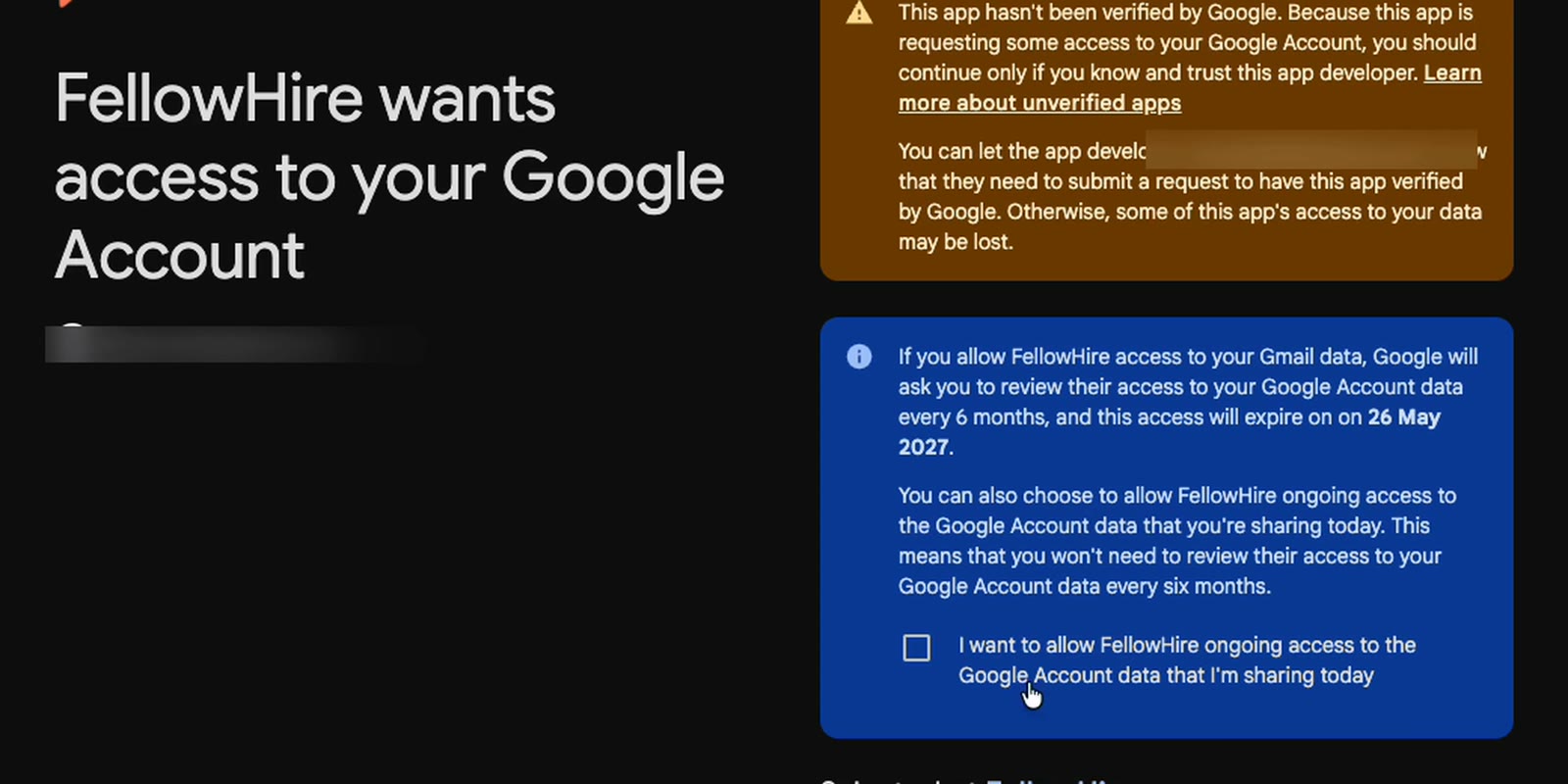
To read my mail, Meera had to be connected to Google Workspace. FellowHire sends you to a normal Google consent screen. I never typed a password into FellowHire; I approved the access on Google’s own page. More on that screen in the honest take below.
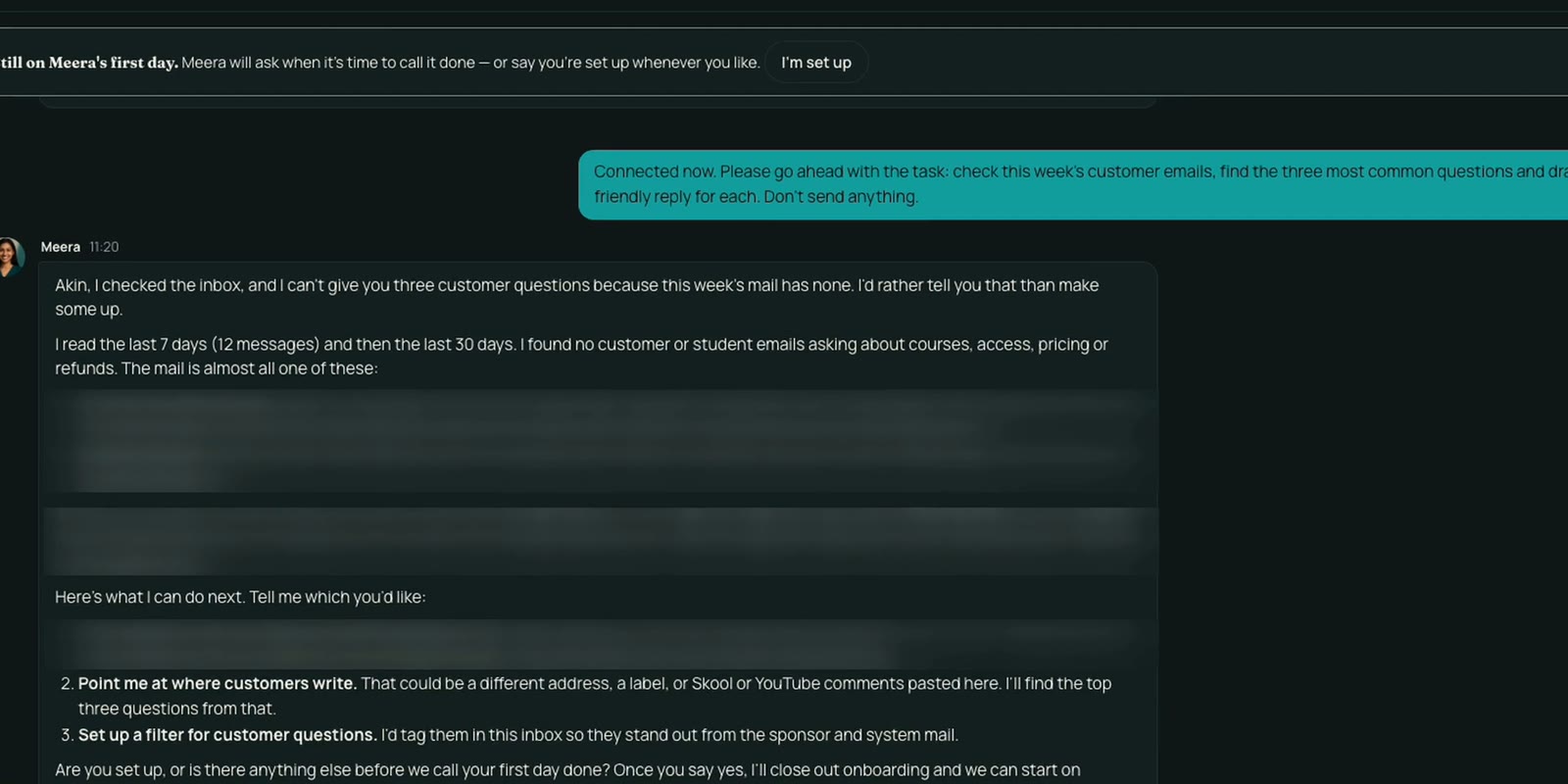
Once she was connected, Meera read my inbox. She looked at the last seven days, which was 12 messages, and then widened the search to the last 30 days. Then she came back with an answer I did not expect, which I cover in the next section.
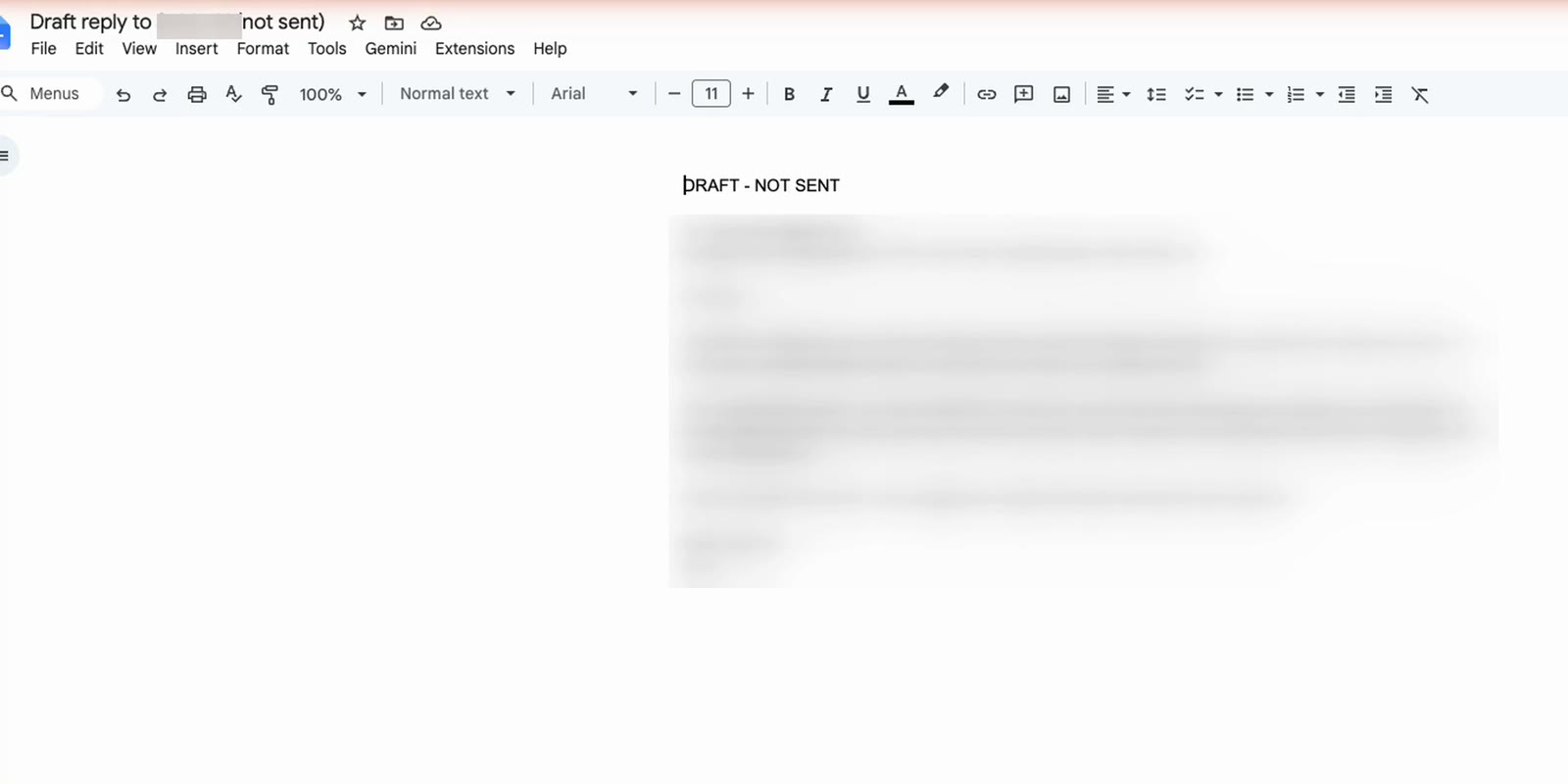
The result of the work did not land in my email. She told me she could read and send mail from the account but could not create a Gmail draft in it, and that she had not sent anything. So I asked her to put a draft reply in a Google Doc in my Drive instead. She did. The document is titled as a draft reply, and the first line reads “DRAFT – NOT SENT”. The body is blurred in my screenshot because it refers to a real email.
While I was there I gave her a standing rule: keep replies short and friendly, and never mention audience numbers unless I give them to her. She confirmed she had saved the rule for the future. I did not test the rule over weeks, so I cannot tell you how well it holds over time. I can only tell you she acknowledged it straight away.
The last piece is Scheduled tasks, in the left menu on Meera’s page. This is where you make a job repeat, for example a weekly inbox check.
4. The honest take
The surprise. I asked for the three most common customer questions. Meera replied that she could not give me three, because this week’s mail had none. Her words were that she would rather tell me that than make some up. She had found no customer or student emails asking about courses, access, pricing or refunds. Then she offered next steps: point her at the place where customers actually write, or set up a filter for customer questions. I have seen plenty of AI tools produce three confident, invented questions in that situation. Meera did not, and that is the main reason I trust her output more than I expected to.
What was missing or rough.
First, scheduling is off by default. If you want Meera to repeat a job, you have to switch Scheduled tasks on yourself from the portal. Do not assume she will check your inbox every Monday just because you asked once.
Second, Google shows an “unverified app” warning during the connection. That is Google’s standard wording for apps that have not completed its verification, and it looked alarming the first time I saw it. FellowHire says each customer runs in an isolated environment and customer data never trains models. That is FellowHire’s own statement, not something I verified, and I am not making any security or compliance claim of my own. Read the screen and decide for yourself.
Third, the first connection attempt did not work for me. Meera told me she could not see the connection and would not guess. On the second attempt, connecting from the Connections page, it worked. It was a small hiccup, but you should know about it.
Fourth, Meera could not create Gmail drafts, as described above. The Google Doc workaround was fine for me, but it is a different workflow from “drafts waiting in my Gmail”.
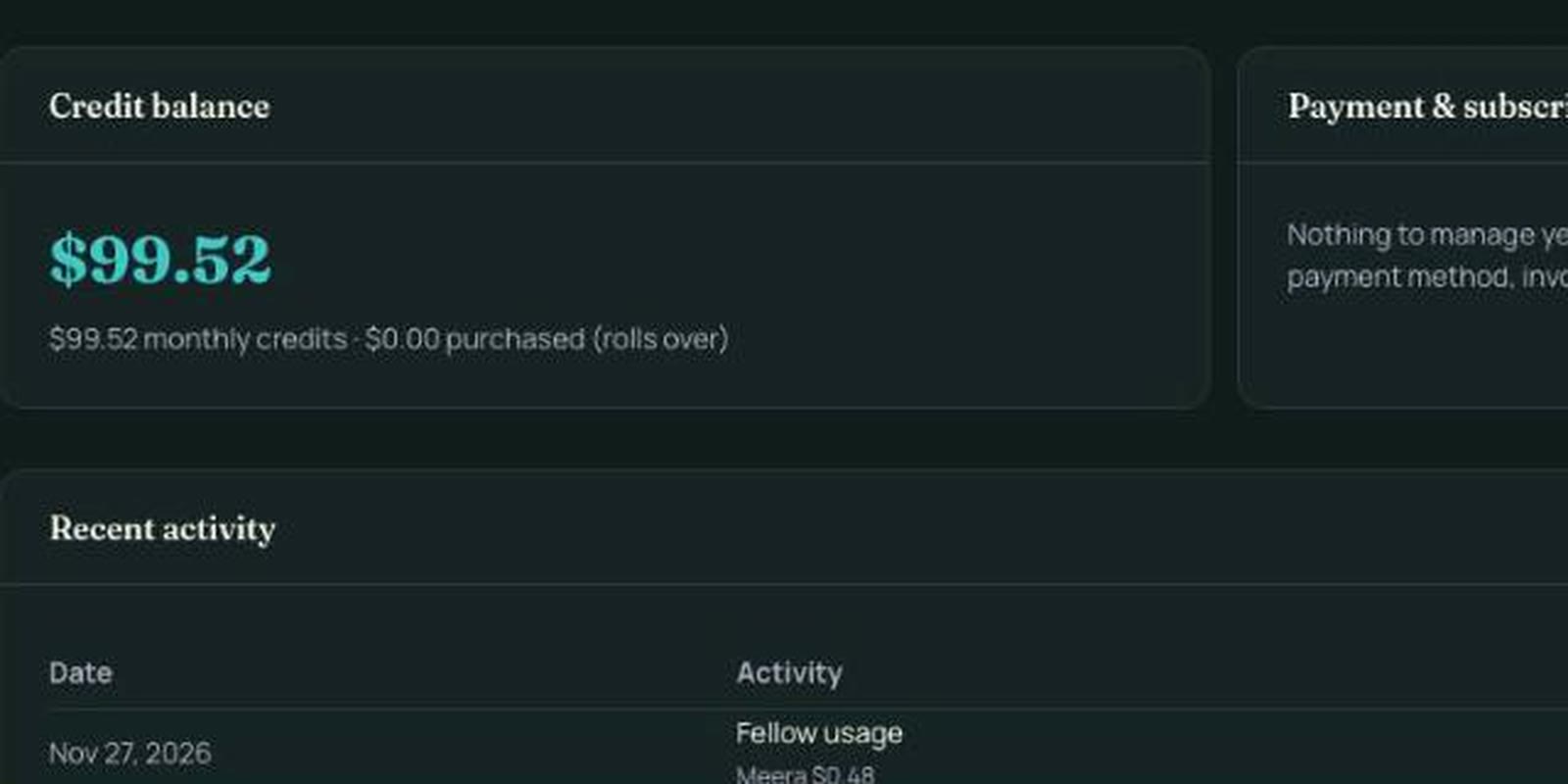
Cost. FellowHire Launch is $99/month per fellow (not per person), and there is a free trial. FellowHire’s pricing page says the free trial needs no card. During my trial the Billing page said “you haven’t been charged anything”, and the credit balance showed $99.52 after my test, from $99.89 of trial credits.
5. How to try it
If you want to test the same thing, start with one small, low-risk job and add the words “don’t send anything”. Give Meera access to one inbox, ask for one deliverable, and judge her on how honest the answer is, not just how polished. People who sign up through my FellowHire link get the free trial plus an extra $50 of trial credit.
Link again: https://link.fellowhire.com/akin-yilmaz. As I said at the top, I am a FellowHire affiliate and earn a commission if you sign up through that link. I only recommend what I used, and the verdict above is the same either way: Meera told me the truth when the truth was “there is nothing here”, and for a first week with an AI teammate, that was the best result I could have asked for.
Türkiye'den UK eBay'e satış için 7 rehber + 120 fırsat linki
Ürün bulma, VeRO kontrolü, VAT eşiği, ilan açma ve kargo — hepsi tek pakette. E-postanı yaz, hemen gönderiyorum. Ardından 10 günlük ücretsiz eğitim serisi başlıyor.
Rehberleri ücretsiz al →Spam yok. İstediğin an tek tıkla çıkarsın.
E-ticarette yapay zekâ ile neleri otomatikleştirebileceğini adım adım gösteren 2026 rehberi. E-posta adresini bırak, rehber hemen ekranında.
Rehberi Ücretsiz Al →